
Your bookshelf
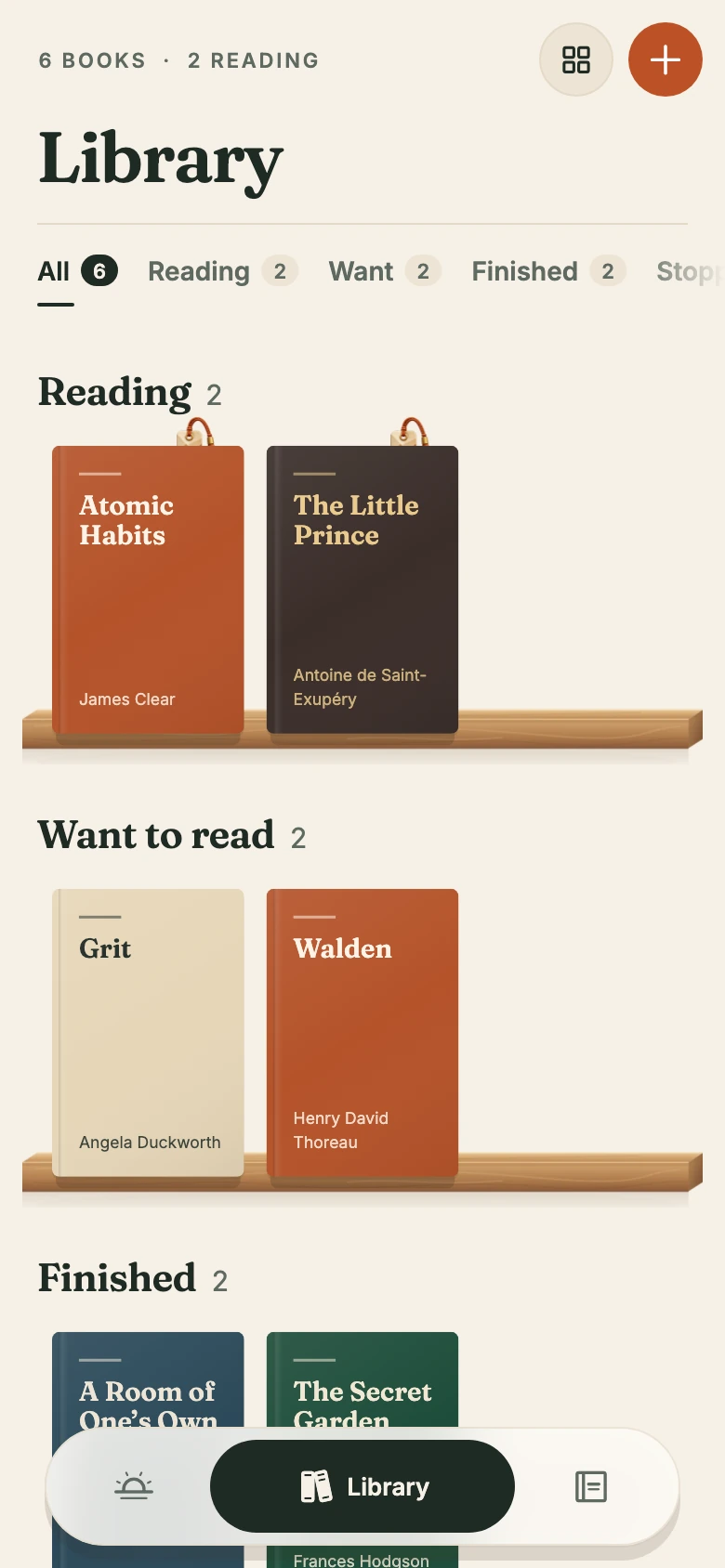
Start with the book
you’re reading.
Keep the books you’re reading, the ones you’ve finished, and the ones you want to pick up next.
Search for a title, author or ISBN, or add a book yourself.
YOUR PRIVATE READING JOURNAL
Keep your books and the thoughts they bring up in one private reading journal.
In development for iOS and Android
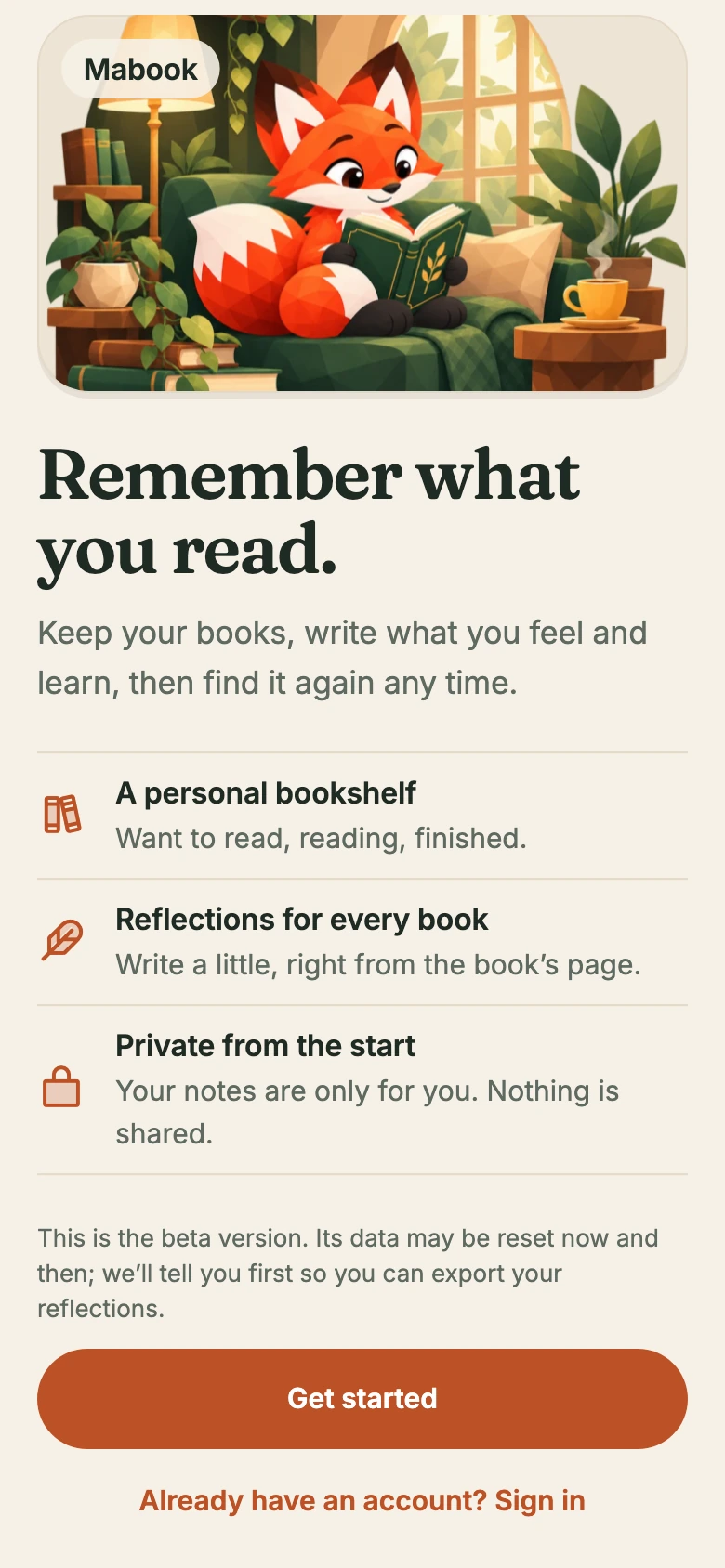
A PERSONAL START
Start with what you like to keep from a book. A thought you can use, a feeling, or a sentence you want to sit with.
Choose a step to take a look.
Meet your bookshelf and private journal. Start with the book you’re reading right now.
An idea to try. A passage that reminds you of someone. There’s room for all of it beside your book.
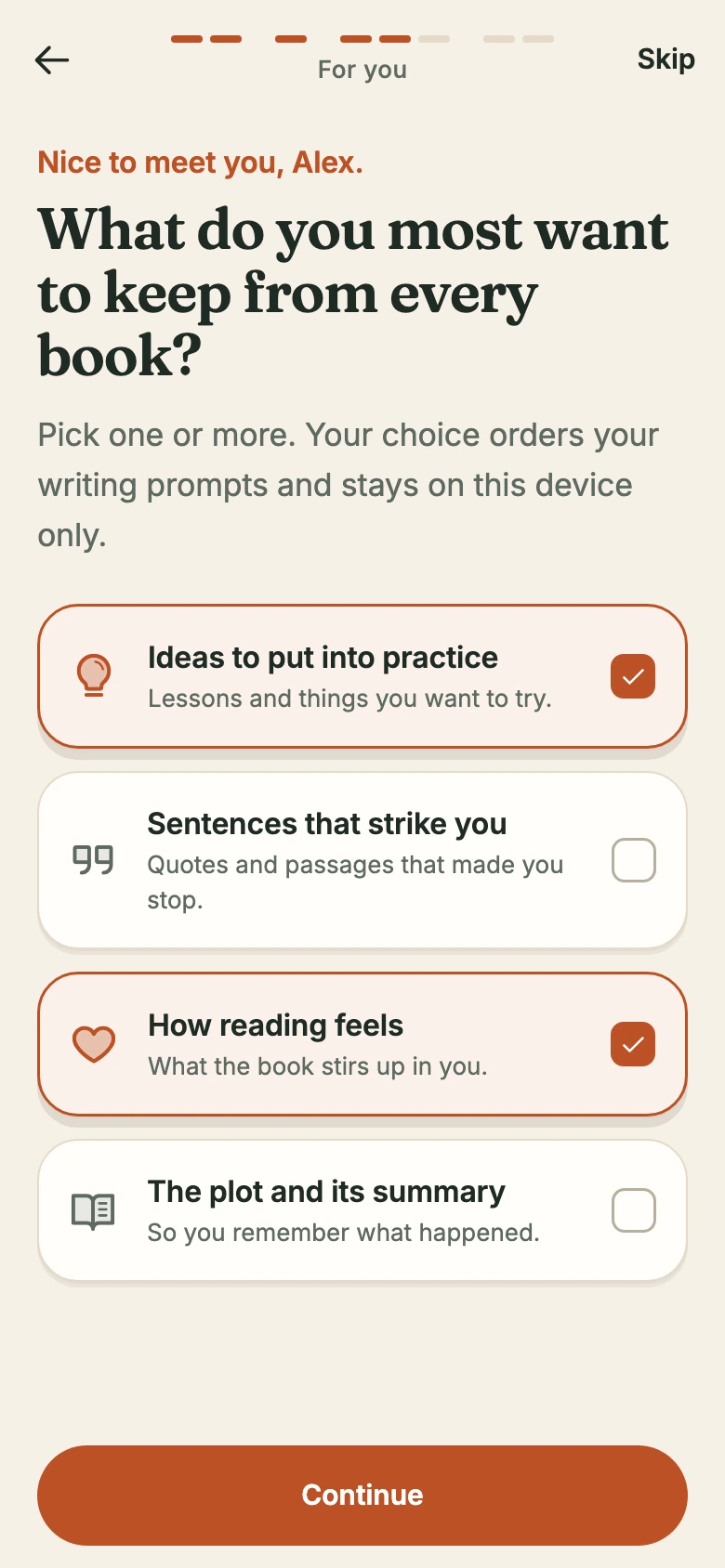
Choose what matters to you when you read. Mabook uses your choices to put relevant writing prompts first.
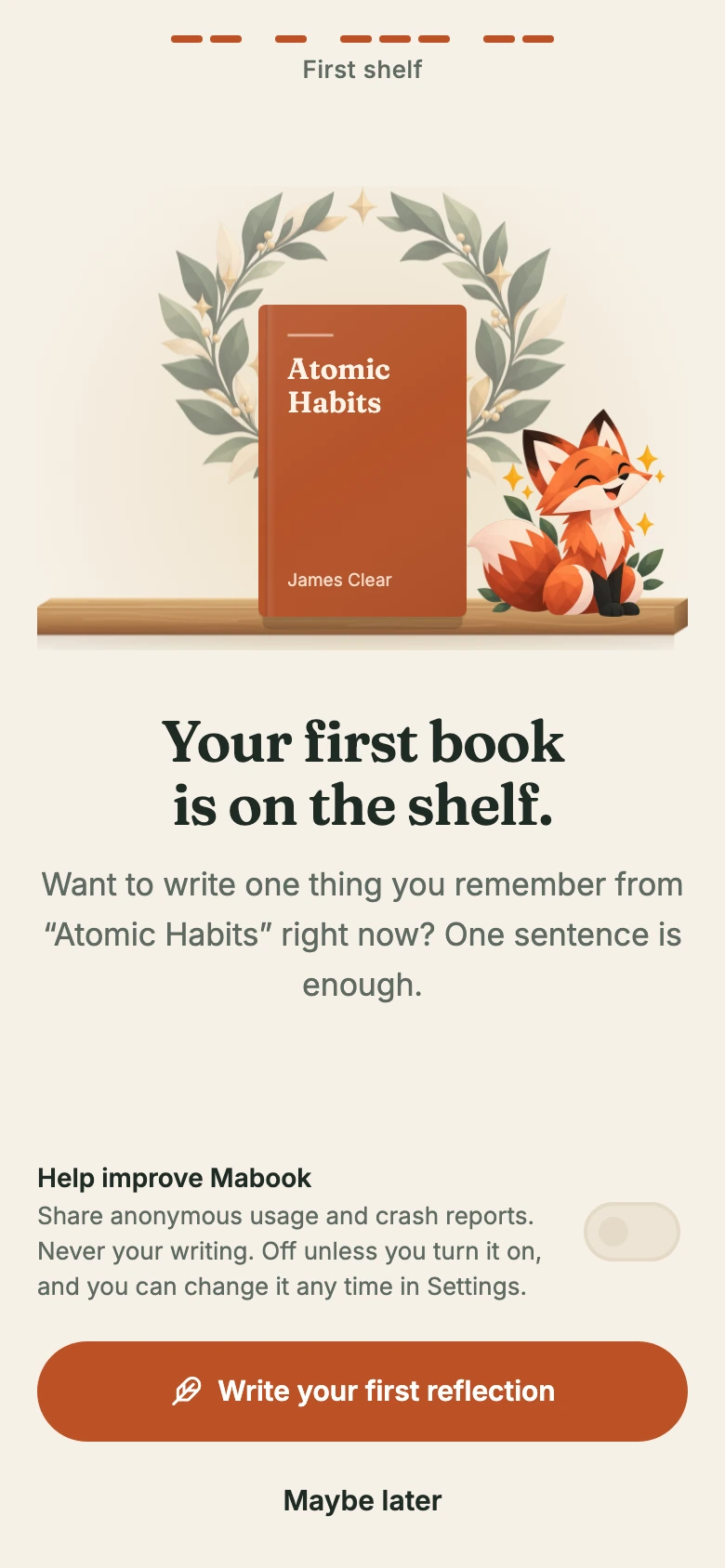
Add your first book, then write one thing you remember. You can always come back for the next sentence.
Actual app screens. Development preview.
Here’s one reader’s example, from a book on the shelf to a thought they can find again.
Your bookshelf
Keep the books you’re reading, the ones you’ve finished, and the ones you want to pick up next.
Search for a title, author or ISBN, or add a book yourself.
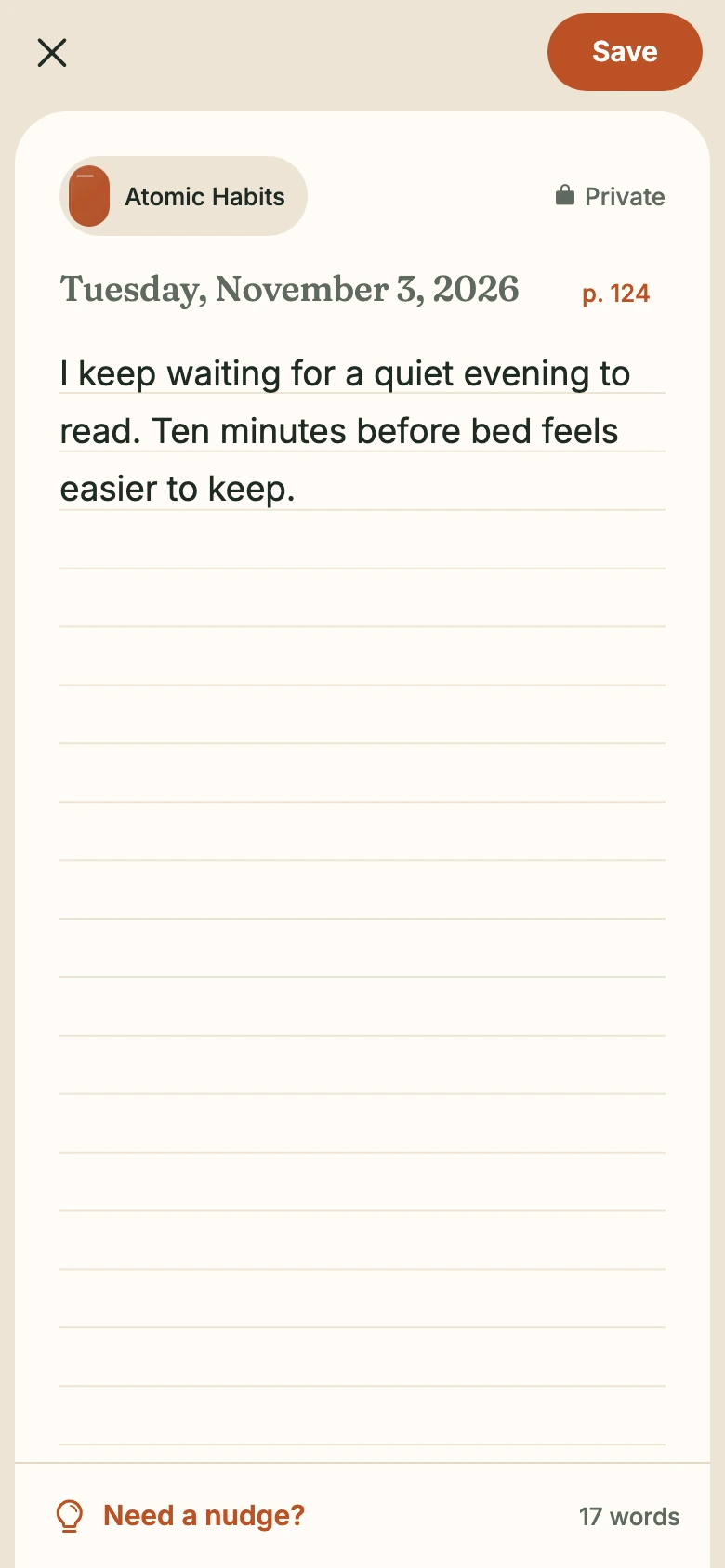
Your reflection
A plan to try something. A question you’re still thinking about. Write it on the book’s own page.
A page number gives your thought a place in the book.
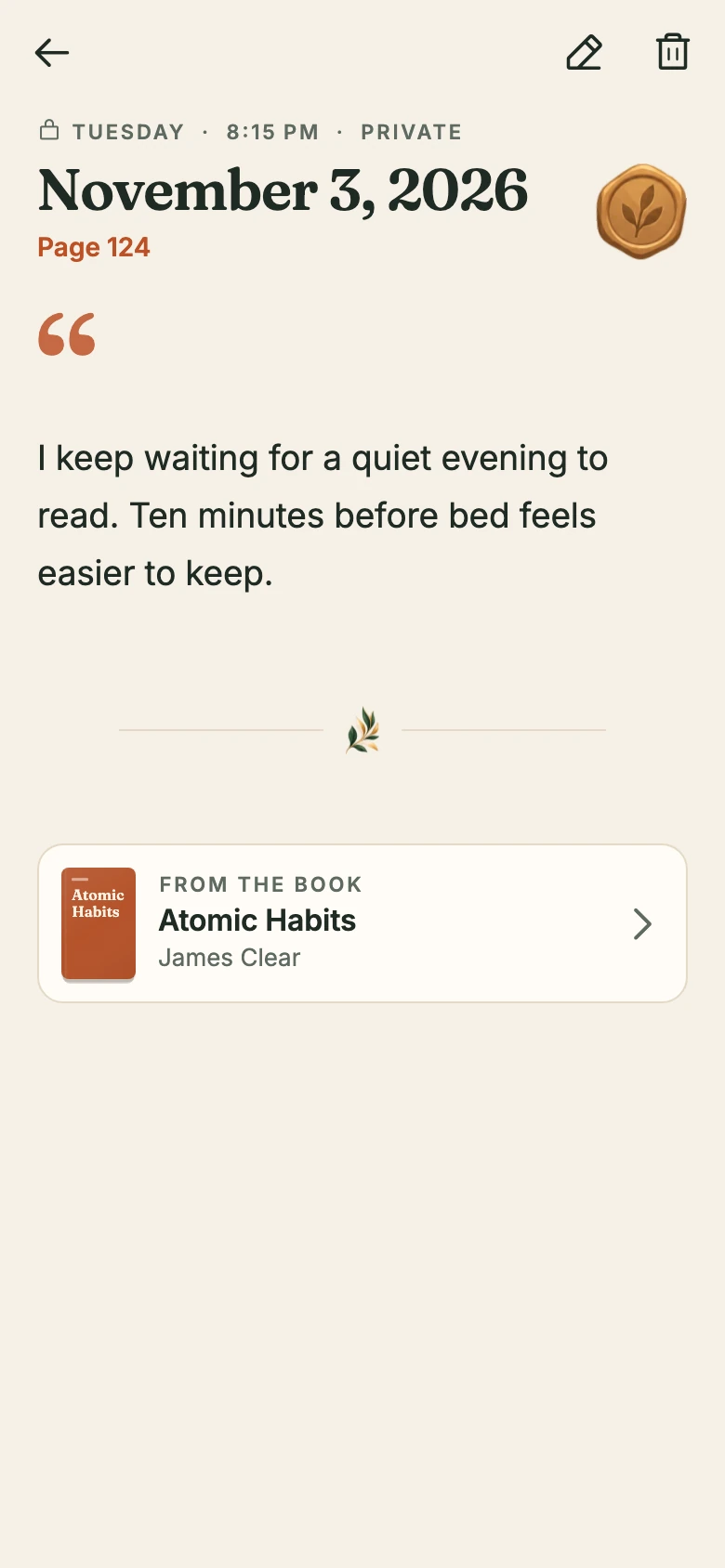
Kept with the book
The book, the page, and the day you wrote it stay together. Your reflection has a place you can find again.
This is the same thought, saved from the previous screen.
Your journal
Browse your reflections by date or narrow your journal to one book. Pick up a thought where you left it.
The sample journal has six books and eight reflections.
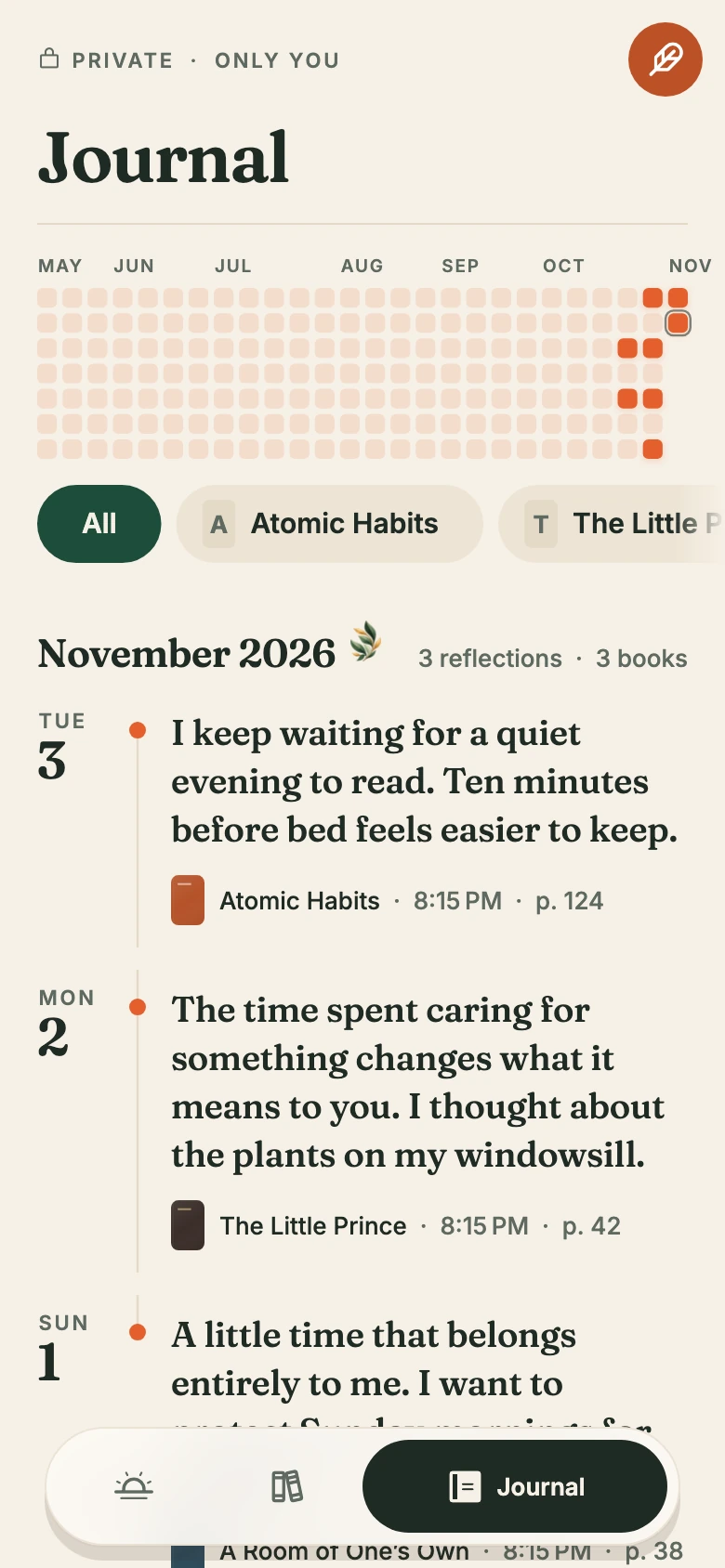
Rendered from the real Mabook app with a sample journal. The reflections were written for this preview.
A THOUGHT FROM THE SAMPLE JOURNAL
You don’t have to turn every book into a review. Write what it brings up for you, then come back when you have more to say.
See it in the journal“I keep waiting for a quiet evening to read. Ten minutes before bed feels easier to keep.”

Your journal belongs to your reading life. The current app keeps the focus on your own books and notes.

BEFORE YOU BEGIN
Mabook is a personal reading journal. Keep a bookshelf, write private reflections tied to each book, and find your notes again when you want to revisit them.
Read your books wherever you already read them. Mabook keeps your library and your own notes together; it does not provide full books or sell ebooks.
One sentence is enough to start. You can write about an idea, a feeling, a question, or something you want to try. There is no review format to follow.
Your reflections are private by default. The current version focuses on your personal journal, without public profiles or a social feed.
Mabook is still in development for iOS and Android. There is no public download or confirmed launch date yet. Download links will be added here when they are available.

MABOOK IS TAKING SHAPE
In development for iOS and Android.
We’ll add download links here when Mabook is ready.